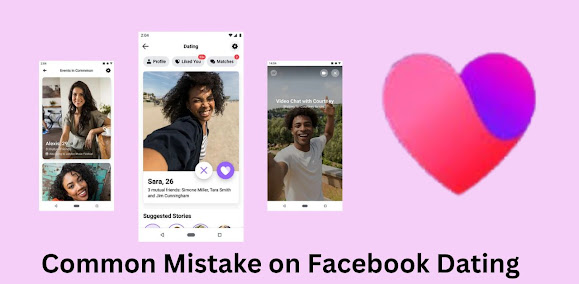
Facebook Dating has quickly become a popular platform for singles looking to connect with people who share their interests. It’s integrated into the Facebook app, which makes it convenient and easy to use. However, like any digital service, users can run into problems accessing it. If you’re struggling with Facebook Dating, don’t worry—you’re not alone. In this guide, we’ll break down 10 common access issues and show you exactly how to fix them.
1. Facebook Dating Isn’t Showing Up
The Problem:
You’re scrolling through the app, but there’s no sign of the Facebook Dating feature.
The Fix:
- Check Eligibility: Ensure you’re at least 18 years old and in a country where Facebook Dating is available.
- Update Your App: Sometimes, an outdated version of the app can hide features. Update your Facebook app through the App Store (iOS) or Google Play Store (Android).
- Enable Location Services: Facebook Dating relies on your location to match you with people nearby. Go to your phone’s settings and turn on location access for Facebook.
If you’ve done all this and it still isn’t showing, try restarting your phone and relaunching the app.
2. Can’t Set Up a Dating Profile
The Problem:
You’re ready to dive in, but you can’t create your Facebook Dating profile.
The Fix:
- Complete Your Main Profile: Facebook requires a complete and up-to-date main profile before allowing you to set up a Dating profile. Ensure you’ve added your age, gender, and location.
- Clear Cache and Data: If you’re using the app, clearing cached data can resolve glitches.
- On Android: Go to Settings > Apps > Facebook > Storage > Clear Cache.
- On iOS: Uninstall and reinstall the Facebook app.
- Check for Restrictions: If you’ve violated community standards in the past, your access to certain features might be restricted. Visit the Help Center to see if there are any bans on your account.
3. Facebook Dating Freezes or Crashes
The Problem:
The app freezes every time you try to open Facebook Dating or crashes when loading your profile.
The Fix:
- Restart the App: Swipe it away from your recent apps list and reopen it.
- Free Up Storage: A lack of storage space can cause app crashes. Delete unnecessary files or apps to free up memory.
- Reinstall Facebook: Sometimes, a fresh install can solve persistent issues.
If the problem persists, report the issue directly to Facebook through the app.
4. Matches Not Appearing
The Problem:
You’ve swiped and waited, but your matches aren’t showing up.
The Fix:
- Adjust Preferences: Check your dating preferences (age range, distance, interests) to ensure they aren’t too restrictive.
- Be Active: Facebook Dating prioritizes active users. Engage by liking profiles and messaging potential matches.
- Disable “Take a Break” Mode: If you’ve paused your Dating account, matches won’t appear until you reactivate it.
5. Messages Aren’t Sending
The Problem:
You’ve matched with someone, but your messages aren’t going through.
The Fix:
- Check Your Internet Connection: A weak or disconnected signal could prevent messages from being sent.
- Restart the App: Relaunching the app often fixes minor glitches.
- Update the App: Messaging issues are sometimes resolved with app updates.
If none of these work, report the issue to Facebook using the in-app support feature.
6. Facebook Dating Keeps Logging You Out
The Problem:
You’re constantly being logged out of Facebook Dating, making it hard to use the service.
The Fix:
- Turn Off Battery Saver Mode: On some devices, battery-saving settings can force-close apps like Facebook.
- Log In Again: Clear your saved login details and manually log in again.
- Disable Third-Party Cleaners: If you’re using apps that automatically clear background processes, they might be interfering with Facebook.
7. Unable to See or Edit Your Profile
The Problem:
Your Facebook Dating profile isn’t visible, or you can’t make changes to it.
The Fix:
- Check Privacy Settings: If you’ve enabled privacy settings on your main account, this might affect your Dating profile.
- Edit Directly: Open the Dating tab, navigate to your profile, and tap the pencil icon to make changes.
- Wait for Approval: If you recently updated your profile, it might take some time for Facebook to process the changes.
8. Can’t Delete Facebook Dating Profile
The Problem:
You’ve decided Facebook Dating isn’t for you, but you can’t seem to delete your profile.
The Fix:
- Access Profile Settings: Go to the Dating tab, tap the gear icon (settings), and select “Delete Profile.”
- Check Main Account: Deleting your Facebook account will also remove your Dating profile.
- Clear Data: If your profile still appears after deletion, try clearing your app cache or reinstalling Facebook.
9. Facebook Dating Not Available in Your Region
The Problem:
You’re ready to give Facebook Dating a shot, but the feature isn’t available in your country or region.
The Fix:
- Verify Location: Ensure your device’s location services are turned on, and check your account region settings.
- Use a Supported Region: If possible, access Facebook Dating from a region where it’s officially available.
- Wait for Expansion: Facebook is gradually rolling out Dating to more countries, so stay tuned for updates.
10. Notifications Not Working
The Problem:
You’re not receiving any notifications for matches, messages, or activity on Facebook Dating.
The Fix:
- Enable App Notifications:
- On iOS: Go to Settings > Notifications > Facebook > Allow Notifications.
- On Android: Settings > Apps > Facebook > Notifications > Turn On.
- Check In-App Settings: Open Facebook, go to Settings, and ensure notifications for Dating are enabled.
- Test Connectivity: Poor internet connection might delay or block notifications.
Pro Tips for Using Facebook Dating
Now that you’ve resolved your access issues, here are a few tips to get the most out of Facebook Dating:
- Be Honest: Authentic profiles get the best results. Avoid using filters or exaggerating your interests.
- Stay Safe: Meet matches in public places, and never share sensitive information.
- Update Regularly: Keep your photos and bio fresh to attract more matches.
- Interact Often: The more active you are, the better your chances of connecting with someone.
Conclusion
Accessing Facebook Dating can sometimes feel frustrating, but most issues are easy to fix once you know what to do. Whether the problem is an outdated app, a privacy setting, or a glitch, these solutions should get you back on track quickly.
So don’t let tech troubles hold you back! With these tips, you’ll be swiping, matching, and chatting in no time. And who knows? Your next great connection might just be a tap away. Happy dating!